
Best Etsy Product Photography App: Tools That Work for Handmade Sellers
Best product photography apps for Etsy sellers: photo editing, background removal, and listing tools that help handmade and vintage items sell faster.
Etsy sellers face a specific photography challenge that Amazon and eBay sellers largely don't: the photos have to do double duty as both product documentation and brand storytelling. On Amazon, a compliant white background photo is the standard. On Etsy, buyers expect images that convey the maker's aesthetic, the product's materials and craftsmanship, and the lifestyle context the product fits into — all while being technically sharp enough to zoom into fine detail. The right photography app for an Etsy seller isn't the same as the right tool for an Amazon seller. This guide covers the apps that solve the specific problems Etsy sellers encounter.
What Etsy Sellers Need That's Different
Etsy's photography requirements intersect with its marketplace culture in ways that make the tool selection different from other platforms:
Lifestyle and context photography matters. Etsy buyers — especially in handmade, home decor, and gift categories — respond to styled images that show products in use. A candle in a lifestyle setting outsells the same candle on white. This means Etsy sellers benefit from tools that help with both product isolation and lifestyle composition.
Detail and texture are critical. Handmade items sell on the quality of their construction. Buyers zoom into leather grain, ceramic glaze, fabric weave, and embroidery detail. Etsy recommends 2,000 px on the shortest side for this reason — and the photography tools need to preserve texture detail through the editing process.
Background versatility is needed. Unlike Amazon (pure white) or Walmart (white/neutral), Etsy sellers benefit from multiple background treatments: white for clean catalog consistency, lifestyle for context, and branded color backgrounds for visual identity. A tool that only does white backgrounds is limiting for Etsy.
Mobile-first workflow is common. Many Etsy sellers, especially those selling handmade goods, photograph with their phones and edit on mobile. Desktop-only tools add friction to what is often a shoot-edit-list workflow done in a single session.
For Etsy's full image specification, the Etsy listing photo size 2026 guide covers dimensions, format, and aspect ratio requirements.
Snapseed (Free — iOS and Android)
What it does: Professional-grade photo editing app from Google. Offers selective editing, curves, white balance, detail enhancement, and a wide range of non-destructive adjustments.
Best for Etsy: Exposure correction, white balance adjustment, and detail enhancement on product photos taken with a smartphone. Snapseed's "Details" tool (Structure and Sharpening) is particularly useful for bringing out texture in handmade goods — knitwear, ceramics, leather, wood grain — without over-processing.
Workflow fit: Shoot on your phone, open in Snapseed, adjust exposure and white balance, enhance detail, export at full resolution. The entire workflow stays on your phone with no cloud upload required.
Limitation: No background removal. No batch processing. Snapseed is a photo enhancement tool, not a background replacement or batch editing tool.
Best paired with: A separate background removal tool if you need clean backgrounds alongside Snapseed's editing capabilities.
VSCO (Free with Premium — iOS and Android)
What it does: Photo editing app known for its film-inspired presets and color grading tools. Popular among photographers and content creators for its natural, non-artificial aesthetic.
Best for Etsy: Creating a consistent color aesthetic across a shop. VSCO's presets produce the warm, natural tones that perform well in Etsy's home decor, candle, skincare, and handmade jewelry categories. Applying the same preset across all product photos creates a cohesive shop aesthetic that builds brand identity.
Workflow fit: Shoot multiple products, apply the same VSCO preset to all images for visual consistency, fine-tune exposure per image, export.
Limitation: Not designed for technical product photography tasks. No background removal, no resizing tools, no marketplace-specific features. VSCO is about aesthetic — it won't help with compliance or formatting.
Best paired with: A technical tool that handles background removal and sizing after VSCO's color grading.
Lightroom Mobile (Free with Premium — iOS and Android)
What it does: Adobe's mobile photo editor with professional-grade color correction, selective adjustments, lens correction, and batch preset application.
Best for Etsy: Sellers with larger catalogs who need to apply consistent color correction across many images. Lightroom Mobile's ability to copy settings from one image and paste them across a batch is the most efficient way to ensure color consistency across a product line. The lens correction feature also fixes the barrel distortion common in smartphone photos, which subtly improves product shape accuracy.
Workflow fit: Import a batch of photos from a shoot, correct one image (exposure, white balance, lens correction), copy those settings to the entire batch, fine-tune individual images, export all.
Limitation: Background removal requires the paid desktop version of Lightroom (with Photoshop). The mobile free tier lacks some advanced features. Batch operations are more limited on mobile than desktop.
Best paired with: Photoshop (for sellers in the Adobe ecosystem) or a standalone background removal tool for sellers who only need Lightroom Mobile's color correction.
PureProduct (Web — Free Tier Available)
What it does: AI background removal with marketplace-specific presets. The Etsy preset produces 2,000 px images with clean white backgrounds.
Best for Etsy: Sellers who need to standardize backgrounds across a large catalog of products photographed in varying conditions. If you shoot in different rooms, at different times of day, or against different surfaces, background removal normalizes everything to a consistent look.
Workflow fit: Photograph products against any clean background, upload a batch to PureProduct, apply the Etsy preset, download formatted images ready for upload.
Pricing: Free plan includes 50 images per month. Pricing page has details on higher-volume plans.
Limitation: PureProduct is a background removal and formatting tool — it doesn't handle color correction, detail enhancement, or creative editing. For the best results, pair it with a color correction tool (Snapseed, Lightroom) for the editing stage and PureProduct for the background and formatting stage.
Best paired with: Snapseed or Lightroom Mobile for pre-processing (color, exposure, detail), then PureProduct for background and format.
Canva (Free with Pro — Web, iOS, Android)
What it does: Design platform with photo editing, background removal (Pro), templates, and graphic creation tools.
Best for Etsy: Sellers who need to create both product photos and supporting graphics — size charts, care instruction cards, feature callout images, and social media content for shop promotion. Canva's template library includes e-commerce-relevant layouts.
Workflow fit: Upload product photos, remove backgrounds (Pro), place products on branded backgrounds or lifestyle templates, add text overlays for secondary listing images, export.
Limitation: Background removal quality is a step below dedicated tools on complex edges (lace, fur, fine jewelry). The photo editing tools are basic compared to Snapseed or Lightroom. Canva is better as a design tool that includes photo editing than as a dedicated photo editor.
Best paired with: A dedicated photo editor for the initial product photo correction, then Canva for composite images, infographics, and branded content.
Photoshop Mix / Photoshop Express (Free — iOS and Android)
What it does: Mobile versions of Adobe Photoshop with simplified interfaces. Photoshop Express offers basic editing and filters. Photoshop Mix (or its successor features in Photoshop on iPad) offers layer compositing and background replacement.
Best for Etsy: Sellers who want to composite products onto lifestyle backgrounds without a desktop setup. Photograph a product on white, remove the background, and place it on a lifestyle scene — a styled desk, a shelf, a gift-wrapping context — entirely on mobile.
Limitation: The mobile Photoshop tools are significantly less capable than desktop Photoshop. Background removal accuracy varies. The compositing workflow requires more manual work than purpose-built tools.
Building a Complete Etsy Photo Workflow
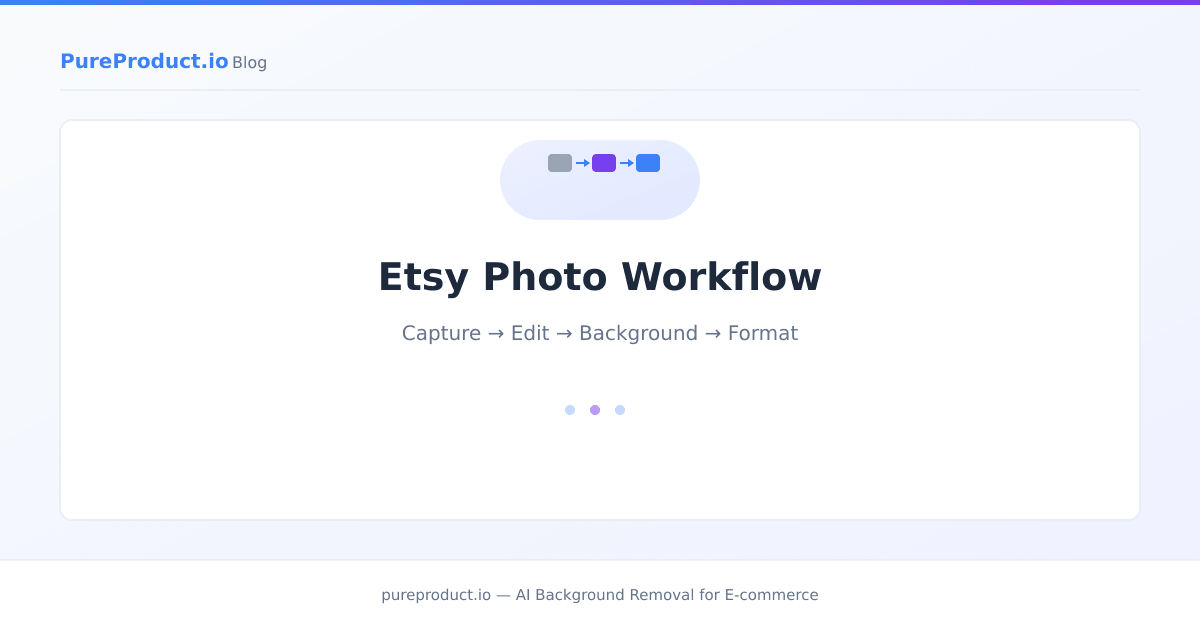
No single app handles everything an Etsy seller needs. The most effective approach combines tools for different stages:
Stage 1 — Capture: Your phone camera (use the back camera, tap to focus, shoot in good natural light). For Etsy-specific shooting tips, the product photography on a budget guide covers DIY setups.
Stage 2 — Edit: Snapseed or Lightroom Mobile for exposure correction, white balance, detail enhancement, and color consistency across a batch.
Stage 3 — Background: PureProduct for AI background removal and Etsy-formatted output. Or shoot against a consistent background and skip removal if your natural background is part of your brand aesthetic.
Stage 4 — Format: Crop to square (1:1) at 2,000 px for Etsy's recommended specs. If using PureProduct's Etsy preset, this is handled automatically.
Stage 5 — Secondary images: Canva for text overlays, size charts, or composite lifestyle images if needed. Most handmade sellers don't need this step — straight photography handles Etsy's 10 image slots effectively.
For sellers also listing on other platforms, the batch editing for multiple marketplaces guide covers how to produce images for Amazon, Etsy, and eBay from the same source photos.
Frequently Asked Questions
What's the best free photo editing app for Etsy?
Snapseed is the strongest free option for pure photo editing — it offers professional-grade exposure, color, and detail tools with no subscription. For background removal, PureProduct's free tier covers 50 images per month. Combining Snapseed for editing and PureProduct for backgrounds gives you a capable workflow at no cost for moderate-volume sellers.
Do I need to remove backgrounds for Etsy photos?
No. Unlike Amazon, Etsy has no background requirement. Many successful Etsy shops use lifestyle or styled backgrounds that convey the product's aesthetic context. Background removal is most useful for sellers who want a consistent clean look across a large catalog, or who photograph in variable conditions and want to normalize the visual presentation.
Can I edit Etsy photos on my phone?
Yes. Modern smartphones produce images at resolutions that exceed Etsy's 2,000 px recommendation when shot at full resolution, and mobile editing apps like Snapseed and Lightroom Mobile offer professional-quality editing tools. Many successful Etsy sellers manage their entire photography and listing workflow on mobile.
What photo size does Etsy need?
Etsy recommends 2,000 pixels on the shortest side for optimal display quality, including zoom functionality. Square format (1:1) is recommended for cover photos because Etsy displays thumbnails in square containers. Most smartphone cameras shooting at full resolution produce images well above this threshold.
Should I use the same app for Etsy and Amazon photos?
You can use the same editing tools, but the creative approach differs. Amazon requires pure white backgrounds and prohibits lifestyle elements in main images. Etsy rewards lifestyle context and creative styling. A workflow that produces both typically uses the same source photos, with different background treatment applied for each platform.
The best Etsy photography app isn't a single tool — it's a lightweight combination that covers editing, background treatment, and formatting without adding unnecessary complexity. For most Etsy sellers, Snapseed or Lightroom Mobile for editing plus PureProduct for background removal and formatting covers the full workflow. The free tiers of both are sufficient for sellers listing a moderate volume of products per month. Start with those, and add Canva or Photoshop only if your secondary image strategy requires composite graphics or text overlays.
Ready to save hours on product photo editing?
PureProduct handles background removal, marketplace resizing, and shadow generation in one upload. Try it free with 50 images per month — no credit card required.